
Mad Casino App
How to Install MadCasino App?
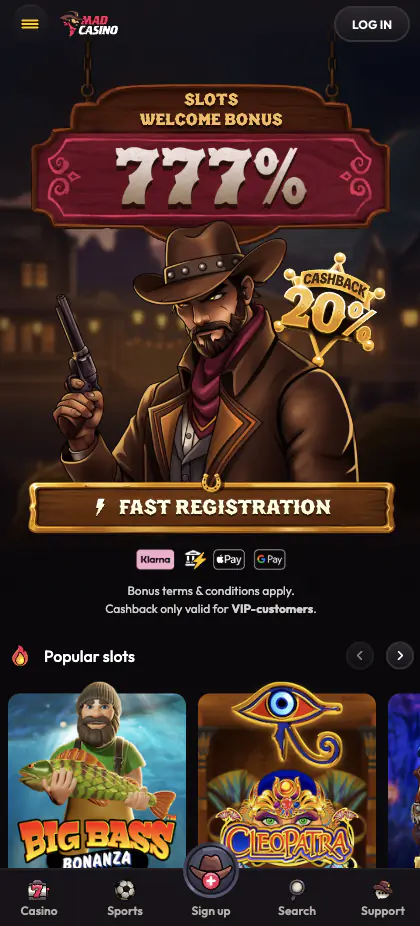
The MadCasino app is still in development – we want it to be perfect. That doesn’t stop you from using us on your mobile. Our dedicated team of developers have optimised the official Mad Casino website to ensure it provides seamless gameplay and intuitive site controls, regardless of what phone or other device you’re using. It doesn’t matter what device you’re using, the mobile version of our site will automatically configure to your device and screen size. The images should be clear and precise, the usage intuitive, and it should be a smooth experience.
Best of all, you can pin a link to the Mad Casino site on your mobile homescreen. That means one tap will get you on the site, ready to start gaming. It can be faster than a mobile casino app. Here’s how you pin our browser to your home screen:
For iOS devices:
- Log into your phone (you should have a lock on it)
- Open the Safari web browser and enter Mad Casino in the web search bar
- Go to the official Mad Casino website
- Look for and tap the share button – it’s a box with an arrow coming out of it
- Several options will appear, select the one ‘add to homescreen’
- Keep the given name or change it if you wish
- When ready, tap ‘add a shortcut’, and our website will appear on your homescreen
For Android devices:
- Log into your mobile device using your secure password or biometric ID
- Open your web browser – any one will do
- Navigate to the official Mad Casino webpage
- Look at the top right of your screen – you’ll see three vertical dots – tap them
- A dropdown menu appears – look for the ‘add to homescreen’ option
- You can install, but you only need to create a shortcut – tap this option
- Enter the name you want associated with the short cut – MadCasino mobile or something more discreet
- Select add
- Check that the Mad Casino app icon has appeared on your homescreen
Top tip: If you navigate to the login page via mobile device, your link will automatically take you there, saving you even more time.
Bonuses and Promotions
Because your mobile casino is the same site as the desktop version, you have full access to all games, payment options and bonuses. Anyone can play at mobile casino with us and get the following promotions:
| Bonus Name | Offer | Wagering |
| Slots Welcome Bonus #1 | 200% up to €500 | 30x |
| Slots Welcome Bonus #2 | 150% up to €1,000 | 30x |
| Slots Welcome Bonus #3 | 150% up to €2,000 | 30x |
| Slots Welcome Bonus #4 | 100% up to €3,000 | 30x |
| Slots Welcome Bonus #5 | 177% up to €1,000 | 30x |
| Bonus Name | Reward | Wagering Requirement |
| Sports Welcome Bonus — 1st Deposit | 100% up to €500 | 15× |
| Sports Welcome Bonus — 2nd Deposit | 50% up to €1,000 | 15× |
| Sports Welcome Bonus — 3rd Deposit | 100% up to €2,000 | 15× |
| Mad Casino Bonus Name | Details | Wagering Requirement |
| Wednesday reload | 100% of your deposit up to €1,000 | x30 |
| Friday reload | Matching 200% of a Friday deposit, as high as €1,000 | x30 |
| Saturday reload | Another 150% of your deposit, up to €2,000 | x30 |
| Sunday reload | 100% of your deposit up to an impressive €3,500 | x30 |
You should note, the reload bonuses are not accessible until you have accepted or rejected the welcome bonus offers.
How to Register in the Mad Casino Mobile App?
You can download app without registering for a Mad Casino account. However, you can’t play any of the mobile casino games until you have an account and have added funds to it.
The process is straightforward:
- Activate your phone and log in using your secure credentials
- Tap the Mad Casino shortcut on your homescreen – it should take you to your Mad Casino mobile login page
- You won’t be able to log in as you don’t have an account – select the ‘create account’ option
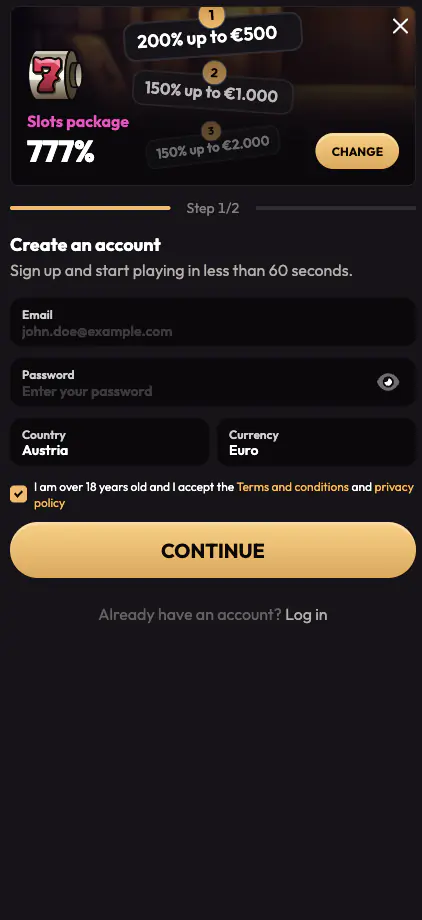
- Now enter your email address into the mobile casino app
- Create a password according to the parameters shown on the mobile app page
- Select confirm, it will take you to the next page
- Add your name – use your real name
- Add your phone number and confirm your country of residence, and that you are over 18
- Select confirm, and your account will be created
Top Tip: Register for a Mad Casino account with your real name. As we are licensed, we need to confirm your identification. To do that, we need a copy of your government ID. Without this, your account will never be verified and, no matter how often you play your favourite mobile game, you’ll never be able to withdraw funds.
Now, you can access the mobile online casino. Unfortunately, you still can’t play any of the games as you need to have funds in your account. This can also be done from your Mad Casin app. In fact, you will be taken to the deposit screen after completing the registration process. Adding funds to your account via your mobile is as simple as selecting the Mad Casino icon in the top right of the web page. Then, choose deposit and add the amount you wish to deposit and what payment method you would like to use.
It’s at this stage, you can also look at the mobile casino bonus offers. There will be one displayed which you can accept, or you can change the selection to any others you are eligible for. Don’t forget to check the terms before you accept any bonus offer. Again, hit confirm, and the transaction will be completed. You’ll be registered and have funds – ready to play.
Mad Casino App Security
We take our reputation very seriously. That’s why we also take app security very seriously. We take as little of your data as we can, only the parts we need. That makes it easier for us to assure you that your data is safe with us. We have a dedicated Mad Casino tech team. They constantly monitor cyber activity and make adjustments to our systems as necessary to keep cybercriminals out.
Alongside this, all data is encrypted from end to end using the latest. 256-bit SES encryption service. In other words, your data can’t be hacked. There is still a risk of data loss, specifically through weak passwords or the reuse of passwords across multiple sites. To protect your data, it is vital you use a unique and strong password when creating your Mad Casino mobile account.